Dream by WOMBO
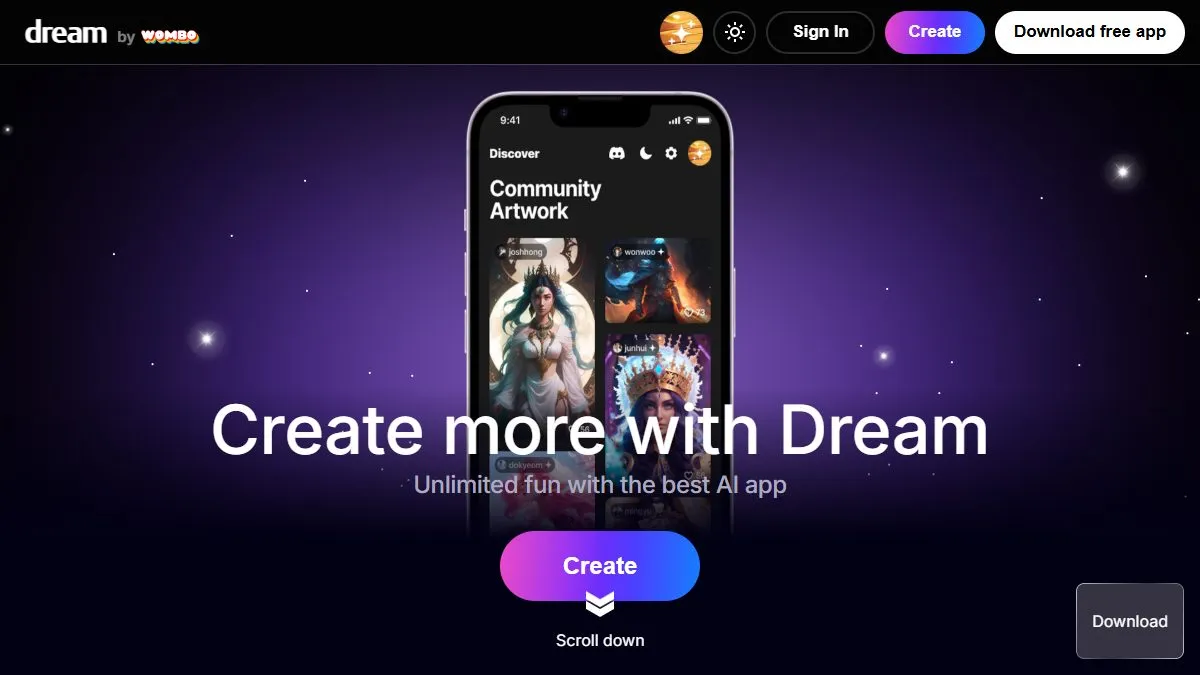
Overview of Dream by WOMBO
Dream focuses on approachable creativity: from the app, you enter a prompt, choose from a gallery of art styles, and generate variations you can save as wallpapers, post on social, or remix into new prompts. Because it’s native to iOS and Android, it’s a handy alternative to Discord-based tools and desktop UIs, especially when you want quick inspiration on the go. The store listings highlight avatar/portrait tools and frequent updates, and the web version provides the same ‘prompt → art’ loop in a browser. For students, hobbyists, or marketers prototyping ideas on a phone, the low friction and curated styles are the appeal.
How to use Dream by WOMBO
Install the app from the App Store or Google Play and sign in. Start with a prompt that names the subject, setting, and mood (e.g., ‘retro synthwave city at dusk, neon reflections, wide shot’), then pick a style. Generate, swipe through variants, and tap to upscale or download. For portraits, try dedicated styles or upload a reference to guide the look. Keep a note with effective phrases you can reuse across prompts. If you’re drafting cover art or thumbnails, export the image and add type in a design app; Dream is best for fast concept frames, so treat it as your idea generator and finish polish elsewhere.
What is Dream by WOMBO
Dream is a mobile-centric AI art generator optimized for speed, style variety, and easy sharing. It prioritizes simple controls over deep, per-pixel editing, which makes it ideal for moodboards, social art, and quick visual brainstorms. As part of a workflow, you use Dream to explore looks and compositions, then bring the keeper into a layout tool for text, brand elements, and refinements. This balance—fun, fast generations with minimal setup—is why it remains a popular entry point for AI art among non-technical users and creators working away from a desktop.
Video about Dream by WOMBO
Dream by WOMBO Trends
Reviews
Mobile styles that pop
Realistic for people, HD for scenery, then blend two runs in Snapseed. Great for concept boards.
Mobile styles that pop
Pick Realistic for people and HD for scenery, then blend two runs in Snapseed. Fast and good enough for concept boards.
Short prompts win
Mood, color, subject. Foggy teal city skyline worked well. I avoid promising poster size prints.
Short prompts work better
Mood, color, subject. Foggy teal city skyline was a keeper. I do not promise poster size prints though.
Crop when it gets weird
Extra limbs? I just crop tighter and move on. No need to fight it.