Overview of Ideogram
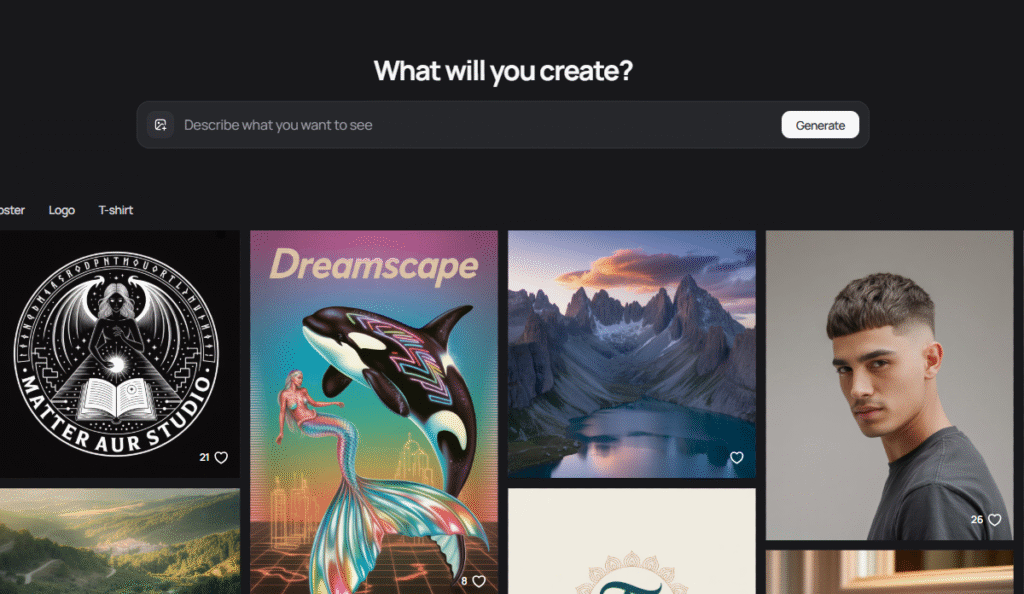
Ideogram’s recent model line (2.x → 3.0) focuses on three things: stronger prompt adherence, higher photorealism, and accurate, design-grade text. Human evaluations and hands-on reviews highlight clear gains in typography—complex words and longer phrases hold together far more often than in earlier diffusion models—plus a lightweight canvas editor for iterative edits. The official prompting guide addresses the remaining edge cases (e.g., regenerating or simplifying long words when a letter drops), and the 3.0 feature overview emphasizes creative layouts for advertising and graphic design use. For teams producing poster-style assets, this combination of fidelity and editability is the main draw versus generalist generators.
How to use Ideogram
Create an account at ideogram.ai and open the generator. Start with a clear structure in your prompt: subject, composition, text to render (in quotes), style cues, lighting, and camera/lens notes if you want photo-like results. Generate a grid, select the strongest frame, and use the Edit/Canvas tools to mask small regions and fix issues. If letters are off, try the docs’ practical fixes—regenerate a few times, shorten complex words, or break a slogan into two lines. Save seeds for consistency across a series, then export finals for layout in your design app. For recurring work (social banners, ads), keep a prompt library with locked typography patterns you can reuse.
What is Ideogram
Ideogram is a designer-leaning image model and web app that turns prompts into layouts with readable, stylized text—something many image models still struggle with. It’s useful when you need poster-quality lettering, brand marks, signage, or packaging comps directly from a prompt, and it pairs that with a simple edit canvas for local fixes. While not a full desktop layout tool, Ideogram covers the generative heavy-lifting: you explore variations, lock a seed and style, and export clean starting points for Figma, Illustrator, or Photoshop. In short, it’s an AI art tool that treats text as a first-class element rather than an afterthought.
Video about Ideogram
Ideogram Trends
Reviews
Readable text with short prompts
One object, one vibe, one style. Retro bakery logo, warm beige, hand lettered. That got me most of the way and I finished kerning by hand.
Short prompts for clean type
One object, one mood, one style. Retro bakery logo, warm beige, hand lettered. Kerning cleanup later in Illustrator.
Export big and downscale
I export at 2048 and downscale to 1600 with a light sharpen around 0.3 px. The letters look cleaner.
Export big, then downscale
2048 export to 1600 with a light sharpen around 0.3 px. Edges look less wobbly.
Let letters be the star
I keep backgrounds minimal for quote graphics. Fewer artifacts, cleaner read.