Flick AI
Overview of Flick AI
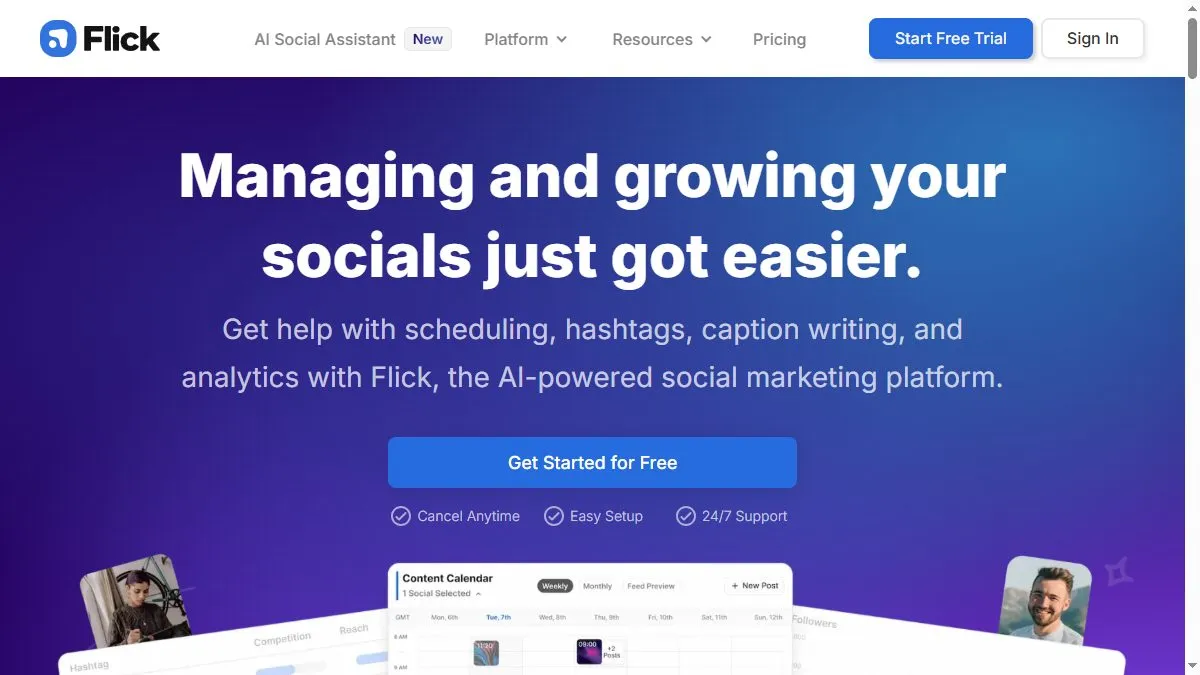
Flick AI’s Content Studio combines keyword research, AI caption generation, and post-scheduling in one workspace. Users can brainstorm topics, write captions optimized for reach, and store reusable templates. The platform supports Instagram, Facebook, TikTok, and LinkedIn. Its AI tools generate engaging, hashtag-rich copy tailored to tone and audience, while the analytics dashboard tracks growth and performance. Flick also suggests the best posting times and trending hashtags to maximize visibility. The focus is on empowering creators and small teams to scale organic growth easily.
How to use Flick AI
Sign up at flick.social and connect your social accounts. Use the Content Planner to generate ideas and create captions with the AI Writer. Review hashtag suggestions and schedule posts using the built-in calendar. Analyze performance in the dashboard and refine your strategy based on engagement insights. You can save brand tones or upload past posts for AI learning.
What is Flick AI
Flick AI is the intelligent social media assistant that helps brands stay active, creative, and strategic. It blends automation with human-like tone control, enabling teams to plan, write, and optimize social content that resonates with audiences.
Video about Flick AI
Flick AI Trends
Reviews
Calendar and captions
I plan a week of posts and auto generate captions. I still tweak the first line to hook.
Keep tone consistent
Brand voice drifts if I rush. I paste two sample lines at the top and it stays on track.
Hashtag tool is fine
It is a starting point, not gospel. I trim to 3 or 4 tags that match content.
Batch export is smooth
I export assets in one go and schedule elsewhere. Saves clicks.